
Syncing
Syncing a Constellation will sync (update) node version values and status results to be what they would’ve been if they were bumped or updated, respectively; unless they’ve been manually changed. Syncing can be done as a standalone action or as the final step when updating a Constellation (which creates a new revision).
Syncing is automatically performed when bumping versions and updating statuses.
Examples
Section titled “Examples”Following are some examples of syncing a Constellation and what happens when the sync is performed.
Syncing multiple times
Section titled “Syncing multiple times”In figure 1, the root node has a Hash version schema with the value 12345678 and an All Success status strategy
with the result Failure. Between figure 1 and 2, no change is made to the root node’s version nor status. Therefore,
the sync that is performed will recalculate the root node’s version value from 12345678 to 00000000 (because it has
no children) and the root node’s status result from Failure to Success (also because it has no children).
Between figure 2 and 3 there are no changes made; yet a sync is still performed. Because syncing is idempotent, that is to say that syncing more than once with the same conditions (e.g. same node structure, versions, statuses) will not yield a different result than the first sync performed. Thus, figure 2 and figure 3 shows the same revision.
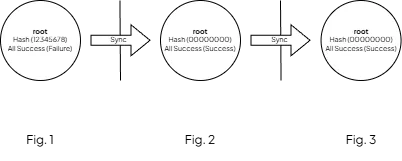
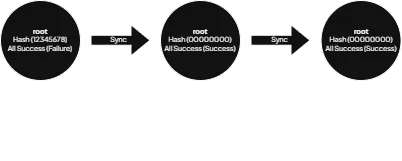
Syncing is idempotent
Syncing when adding or removing nodes
Section titled “Syncing when adding or removing nodes”In figure 1 we can see that the root node’s version and status is correctly calculated from its child (node 077216dd).
Between figure 1 and 2, a new node is added to the Constellation (node f4bb3480) and a sync is performed. The result
is that the root node’s version and status is recalculated. Between figure 2 and 3, the newly added node is removed and
the Constellation ends up looking the same as in figure 1. Imagine that without syncing the root node’s version value
and status result would’ve stayed the same.
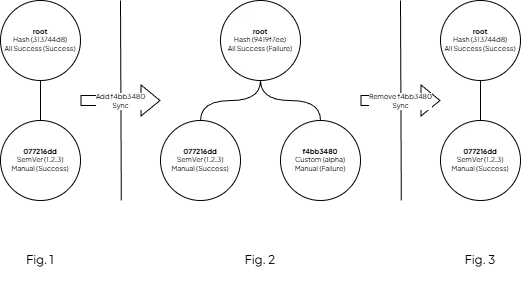
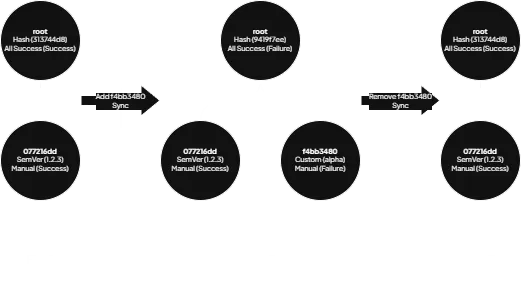
Syncing updates version values and status results
Syncing with manual changes
Section titled “Syncing with manual changes”Between figure 1 and 2 the root node’s version value (313744d8 to 12345678) and status result (Success to
Failure) is manually updated but the Constellation is still synced. However, because the root node’s version and
status was manually changed they won’t be included in the sync.
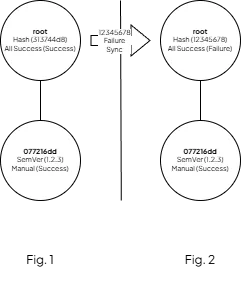
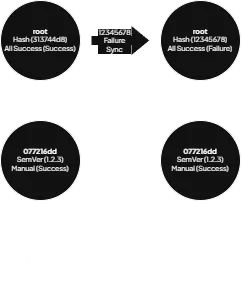
Syncing won't affect manually changed versions and statuses