
Variants
Variants are node subtrees inside your Constellation, which while not always visible depending on your view settings,
still interact with your Constellation just like any other node. All nodes, except the root node, can be varianted.
Varianted nodes can easily be spotted by looking at their ID, which will contain a : followed by a string of text. The
text part must be, when encoded to UTF8, at least 1 byte and at most 100 bytes and can’t contain the : character. For
example, the ID 12345678:foo has an ID value of 12345678 and an ID variant of foo, thus the node that has this ID
will be in the foo variant. Nodes with IDs that does not contain an ID variant are said to be in the Default
variant. The ID 12345678 would have the Default ID variant and would be the Default variant of the 12345678:foo
ID. Varianted nodes can only have descendant nodes that are of the same variant. This means that, for example, the
parent node 87654321:foo can’t have any descendant nodes (e.g. a child node, or a child node’s child node) with
anything but the same variant (which is foo).
Varianted nodes, as previously mentioned, exist in their own subtrees but still interact with the rest of the
Constellation and even other variants. Variants are one way to represent single tenant solutions in your system. For
example, imagine you have an API that is deployed for all customers except one, called Company Inc.. Company Inc.
does not want to consume your general API and instead wants their own API. You oblige and deploy a single tenant API
just for them. Instead of creating a new node in your Constellation, you can instead variant the node representing the
general API already deployed. Now, whenever your API is unhealthy (node’s status result becomes Failure), you can see
if it’s the general API or the single tenant API that’s unhealthy. However, because varianted nodes still affect the
entire Constellation (because all nodes, even varianted ones are descendants of the root node) your system will still
be unhealthy, as it should.
When viewing your Constellation, you can generally only see nodes belonging to one variant at a time. So for example, if
you have the variants abc and xyz in your Constellation, you can view your Constellation from three different
variants: Default, abc, and xyz. When viewing anything but the Default variant, any nodes that does not have a
varianted node in the current variant and do not share the same parent, will be seen. This means that if node
12345678 and node 12345678:foo share the same parent, they can never be viewed at the same time. However, if they
were to not share a parent, then both can be viewed in the foo variant. But only the Default node (12345678) will
still be visible in the Default variant view.
Playground
Examples
Section titled “Examples”Following are examples of Constellations with varianted nodes. Nodes with dotted outlines and opacity are nodes that are currently not seen in the selected variant (denoted by the label underneath each figure).
Different variants
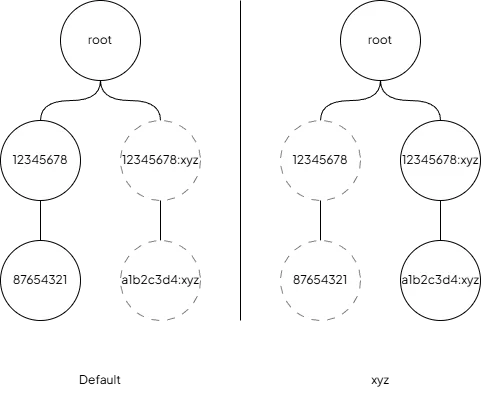
Section titled “Different variants”The nodes 12345678 and 12345678:xyz have the same ID value (12345678) but belong to different variants (Default
and xyz). In the left figure, we’re viewing the Default variant. On the right, we’re viewing the xyz variant.
Because the nodes share the same ID value and share the same parent, they can’t be seen at the same time.
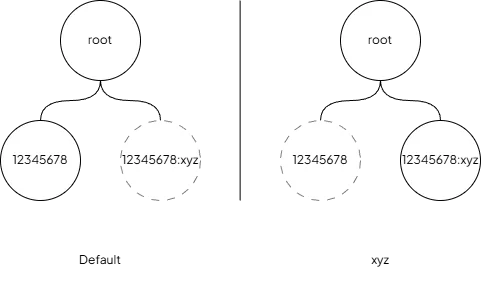
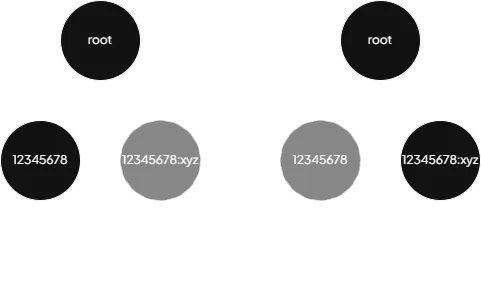
Nodes with the same ID value but different variants
Different nodes
Section titled “Different nodes”Unlike the previous example, both nodes can be seen at the same time in the xyz variant because, while they do
share the same parent, they don’t share the same ID value. However, in the Default variant view, only the node(s) of
the Default variant will be seen.
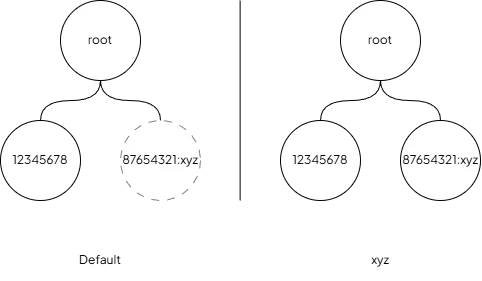
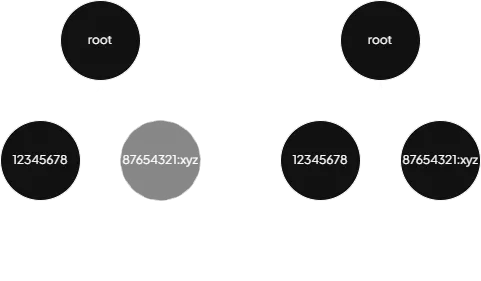
Different ID values and different variants
Subtree
Section titled “Subtree”Varianted nodes can of course also have descendants, as long as the descendants share the same ID variant (in this
example, xyz). Also note how, just like in the first example, only one of the subtrees can be seen at a time because
the parents share the same ID value (12345678).
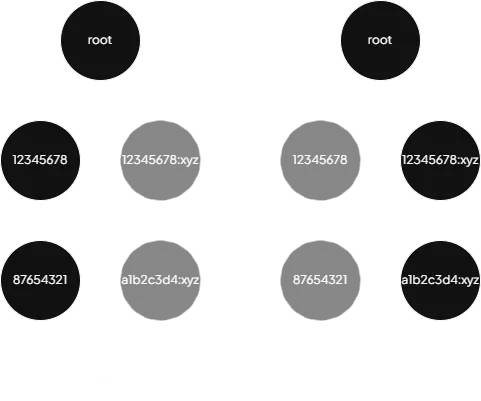
Subtrees with the same ID value but different variants
Multiple subtrees
Section titled “Multiple subtrees”Here we can see that when viewing the xyz variant we can see all nodes because none of the varianted nodes share the
same parents as their Default varianted node counterparts.
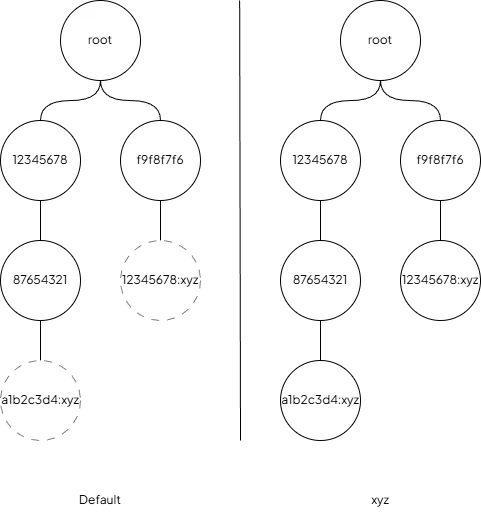
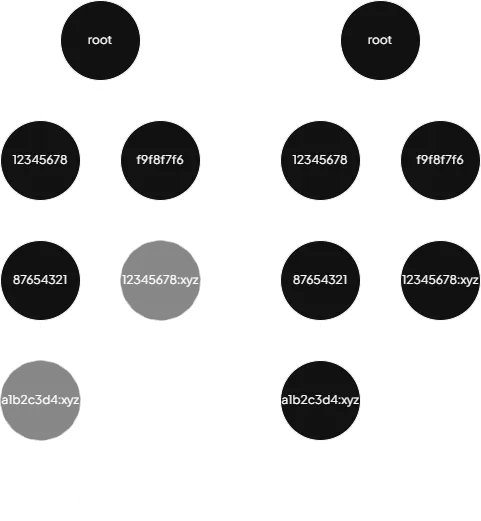
Multiple subtrees with the same ID variants
Multiple variants
Section titled “Multiple variants”Multiple variants in the same Constellation is also supported and will work just the same as with one variant.
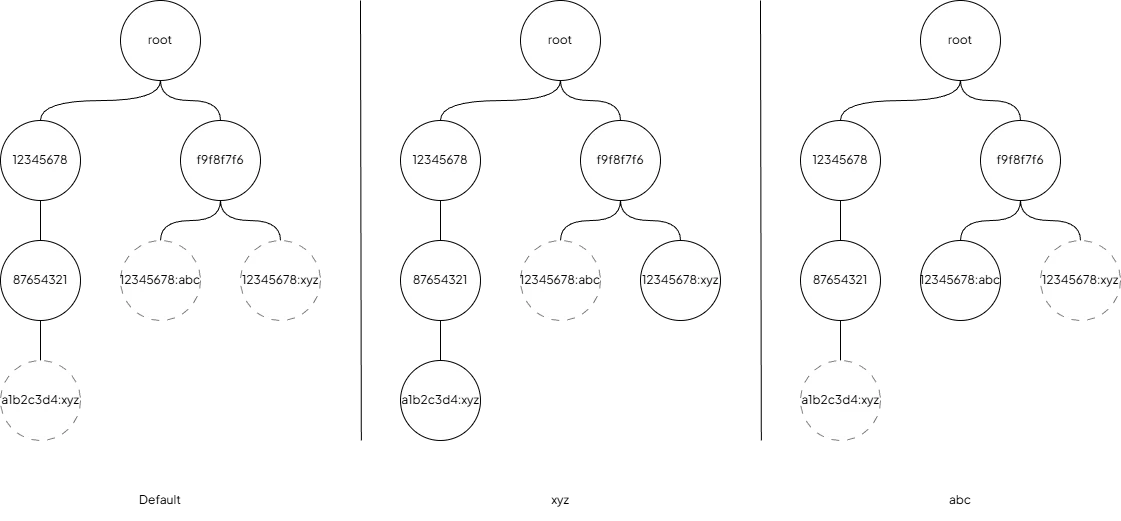
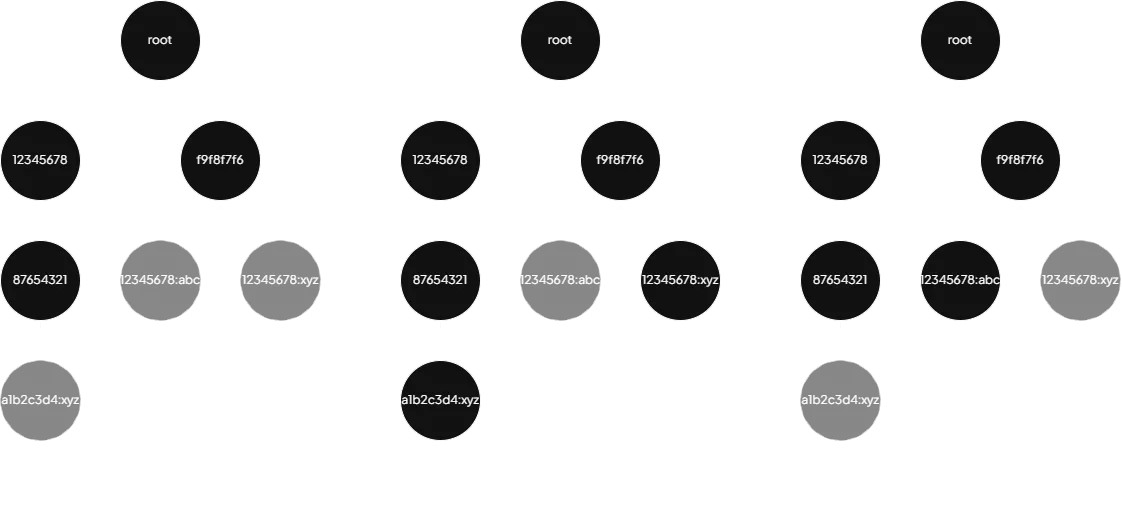
Multiple subtrees with multiple variants
Illegal varianting
Section titled “Illegal varianting”Here are some examples of illegal varianting:
- Varianted node
12345678:xyzcan’t have a child node with the Default variant. - Varianted node
12345678:xyzcan’t have a child node with a different variant (abc). - Special case if a varianted node (
12345678:xyz) exists in the same parent as a node with the same ID value but the Default variant. In that case, all other nodes in said variant must be descendants of the node in the same parent. This is because if this was allowed then the87654321:xyzwould never be seen (neither in the Default variant nor in thexyzvariant as the12345678node would be hidden).
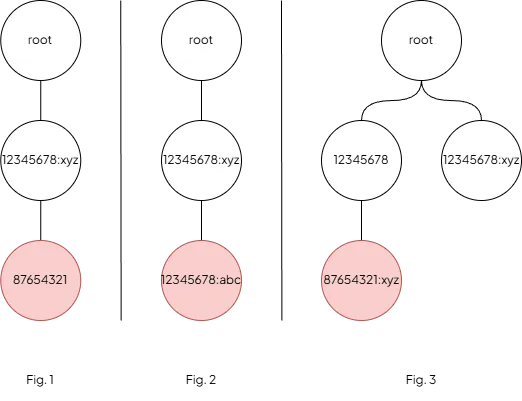
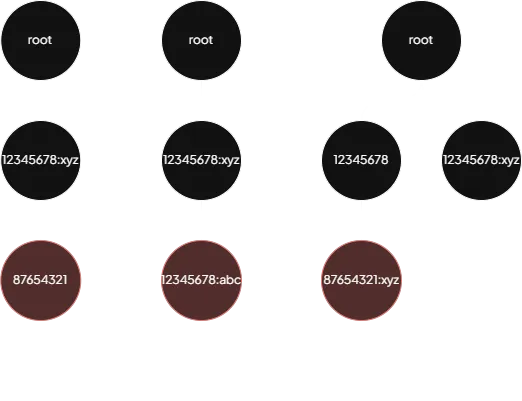
Illegal varianting (offending nodes colored red)
Bumping a varianted node
Section titled “Bumping a varianted node”As mentioned earlier, even if varianted nodes (or some nodes in the Default variant) can’t be seen at times it does not mean that they don’t affect the Constellation as a whole. Following is an example of bumping a varianted node’s version and how it impacts the root node. Read more about versions and bumping here.
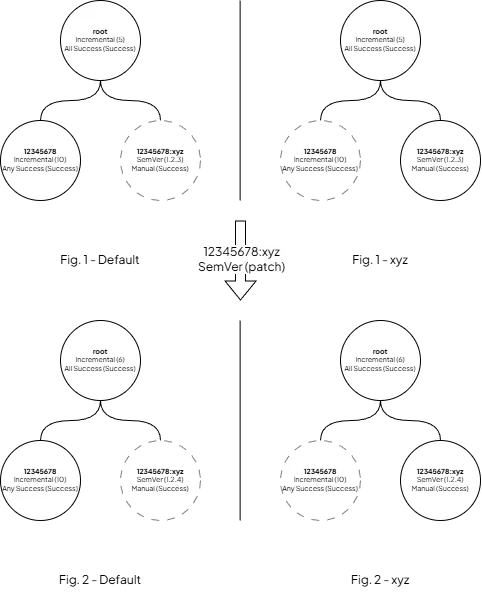
Bumping the version of node 12345678:xyz affects the root node's version
Updating a varianted node’s status
Section titled “Updating a varianted node’s status”Same here, updating a varianted node’s status result will also affect the Constellation as a whole.
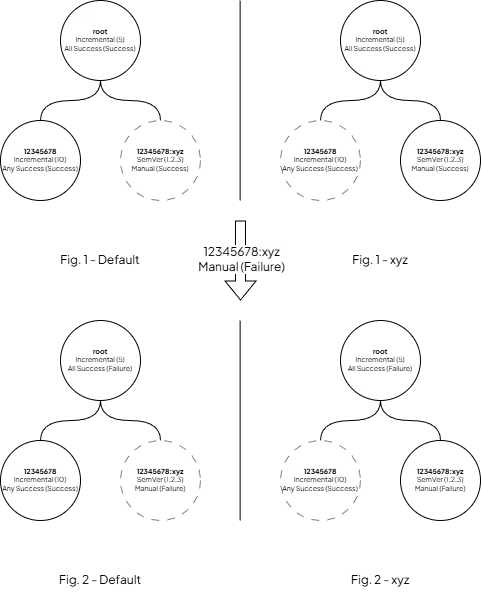
Updating the status result of node 12345678:xyz affects the root node's status