
IDs
Project ID
Section titled “Project ID”To get the project ID open your project and then press the cogwheel to access the settings. At the top there’s a text
field that displays your project’s ID. Press the copy icon to the right and your project’s ID will be copied to your
clipboard. For this project, the ID is 216665f1-513f-44ff-bc6b-156618ba0e0f.
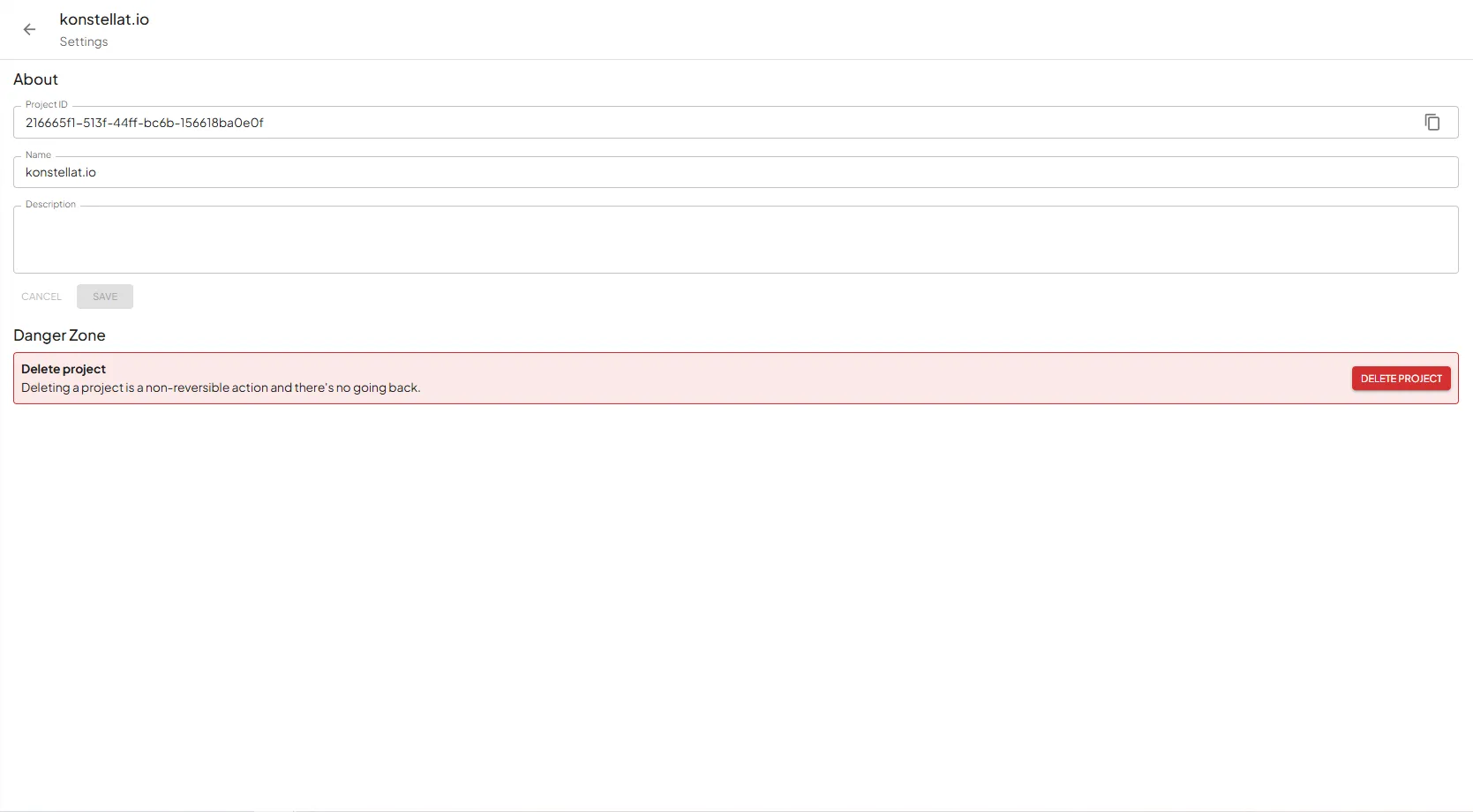
Project ID
Node ID
Section titled “Node ID”To get a node’s ID open your project and find the node that you want to get the ID of. If the node is closed (see
figure 1) you need to expand it by pressing the chevron icon on the right of the node card. Then when the node card is
expanded you can see the node’s ID in the first bubble, which is 1d77bf94 for this node (see figure 2).

Collapsed node card
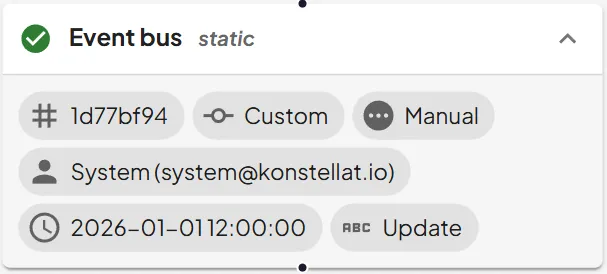
Expanded node card with ID visible (1d77bf94)